Help Centre
Give an item away: the “I want it” queue
A fair queue instead of a race in the comments: you choose first come, or let it simmer for 24 hours and pick.
Giving something away usually ends in a pile-up of “interested!” messages and a hard choice. On UpChansa, people who want a free item join a queue instead, and you decide the rule before anyone asks. It works on every free listing.
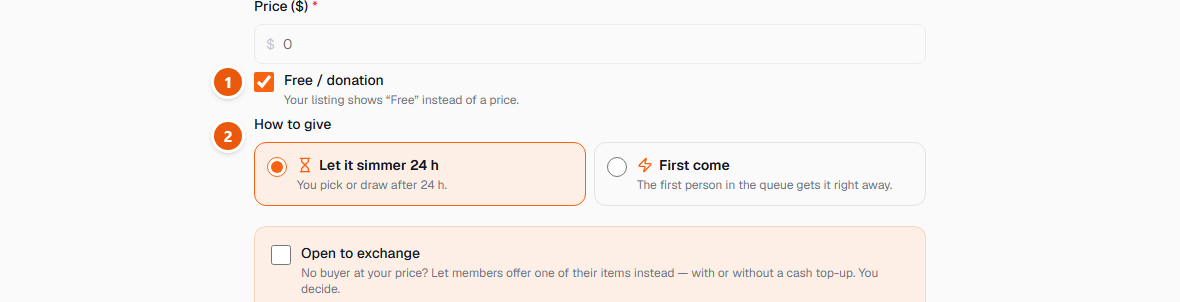
- 1Post a listing as usual and tick “Free / donation”. The price becomes zero and the listing shows Free.
- 2Choose how to give. Let it simmer 24 h: after 24 hours you pick someone from the queue, or draw at random. First come: the first person in the queue gets it right away. Once people are queuing, the rule can no longer change under them.
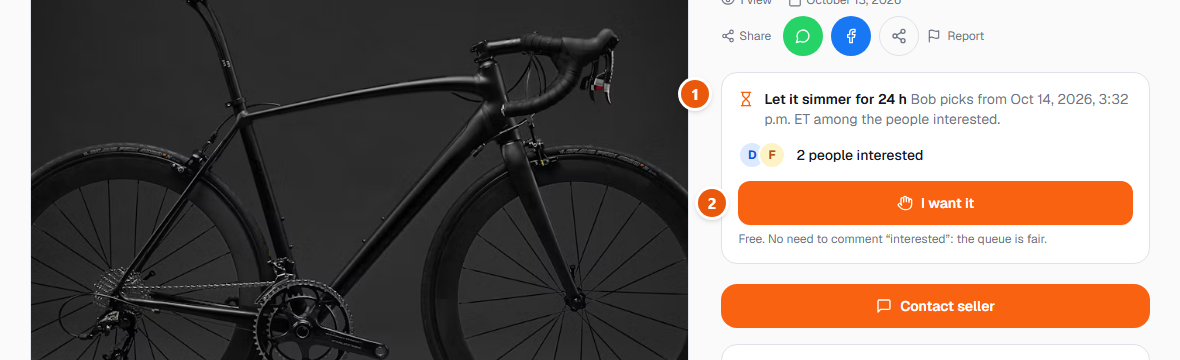
- 1On a free item, everyone sees how many people are waiting — with initials only. Only the giver sees names.
- 2Tap “I want it” to join the queue. There is no need to write “interested” in a message — the queue is the fair way, and you can leave it at any time.
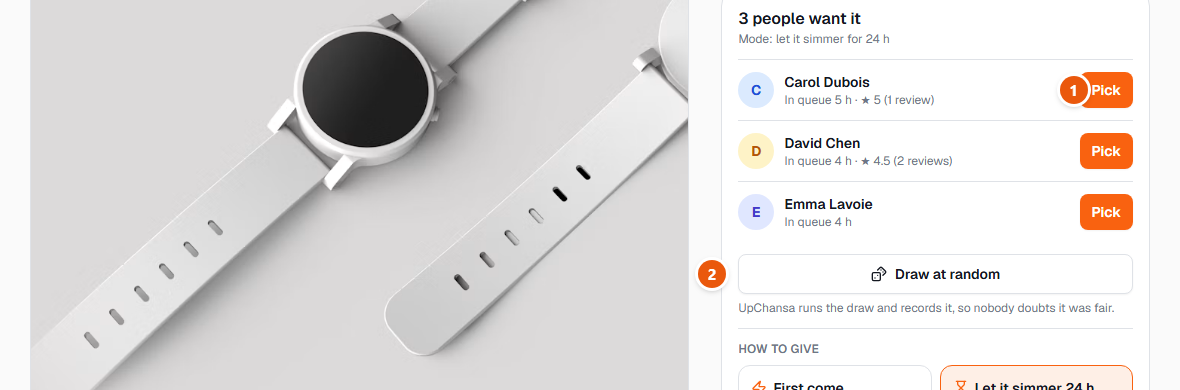
- 1On your own free listing you see the queue in order, with each person's name and reviews. When the 24 hours are up, pick someone.
- 2Or draw at random. UpChansa runs the draw with a secure random generator and records who was in it and who was chosen, so nobody has to wonder whether it was fair.
Choosing someone reserves the item for them and opens a conversation between you to arrange the pickup. Once it is handed over, mark it as given and the rest of the queue is told. If the person does not come, choose someone else — the others are still waiting.
Being chosen is not a contract — on either side. Never pay anything to “reserve” a free item, and meet in a public place as you would for a sale.