Help Centre
Post your first listing
A title, a price, a city and a photo. Your listing is live immediately.
From your dashboard, choose Post a listing. Nothing is charged today — selling on UpChansa is free right now, and whenever that changes the amount is shown to you before you pay anything.
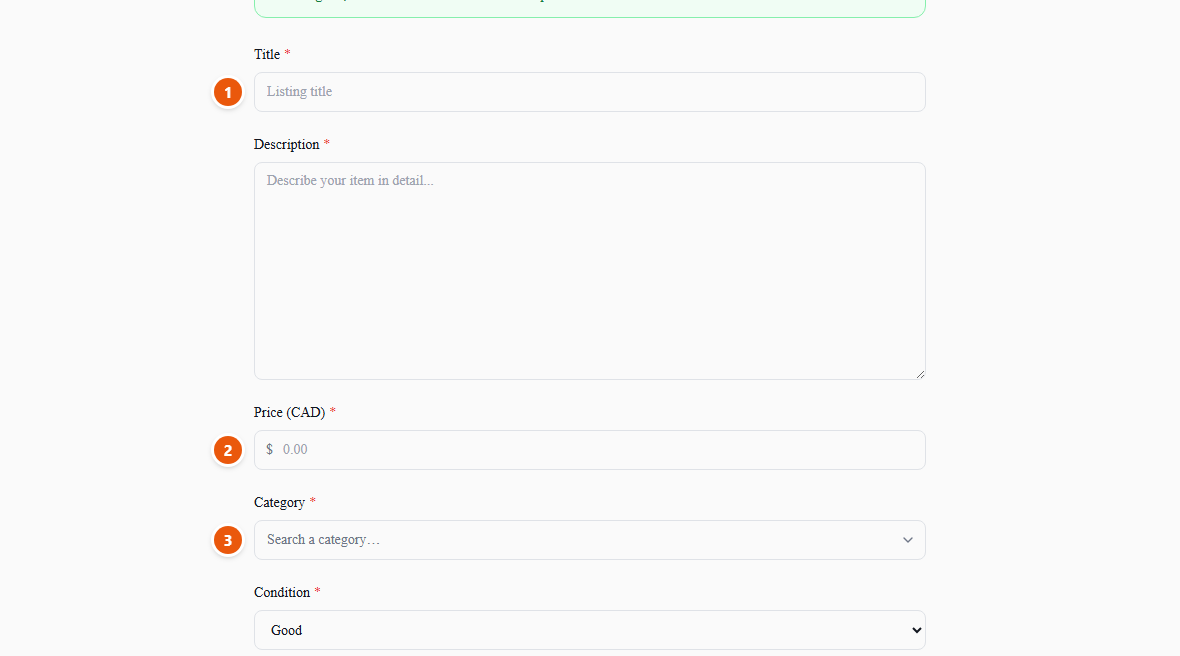
- 1Write the title the way a buyer would search for it — brand, model, size. “Bosch drill 18V with two batteries” finds buyers; “great deal!!” does not.
- 2Set your price in Canadian dollars. Buyers can still send you an offer, so there is no need to inflate it to leave room for haggling.
- 3Pick the closest category. It is how buyers filter, so the wrong one hides your item from the people looking for it.
- 1Choose your city — this one is required. It is how buyers near you find your item, and it is the only part of your address shown publicly unless you tick the pickup-address box yourself.
- 2Add photos — up to ten. The first one is your cover: it is the image shown on the browse grid and on the link when someone shares your listing. Drag the arrows to reorder them and put your best shot first.
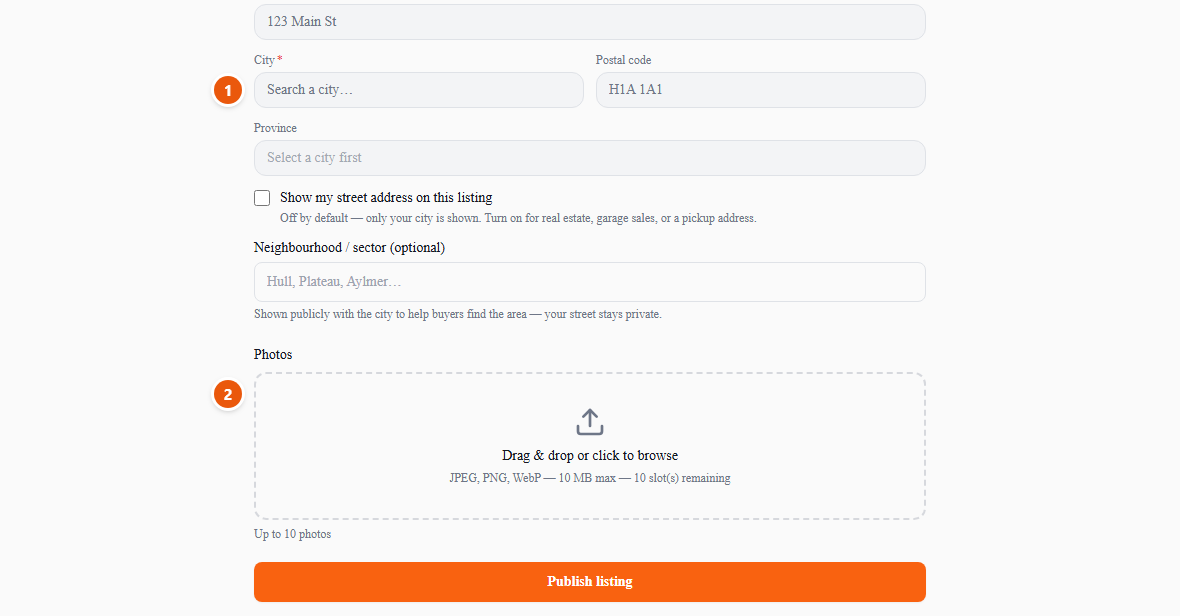
Photos are resized in your browser before they are sent, so a full-size phone picture uploads in about a second even on mobile data. Take them in daylight, show any damage honestly, and photograph the item itself rather than a picture from the manufacturer's website.
Publish, and your listing is visible right away. It stays active for 60 days; you can edit it, hide it and bring it back, or renew it for free when it expires — all from My listings.