Help Centre
Find something and buy it
Search, filter by your city, message the seller, and agree on a price.
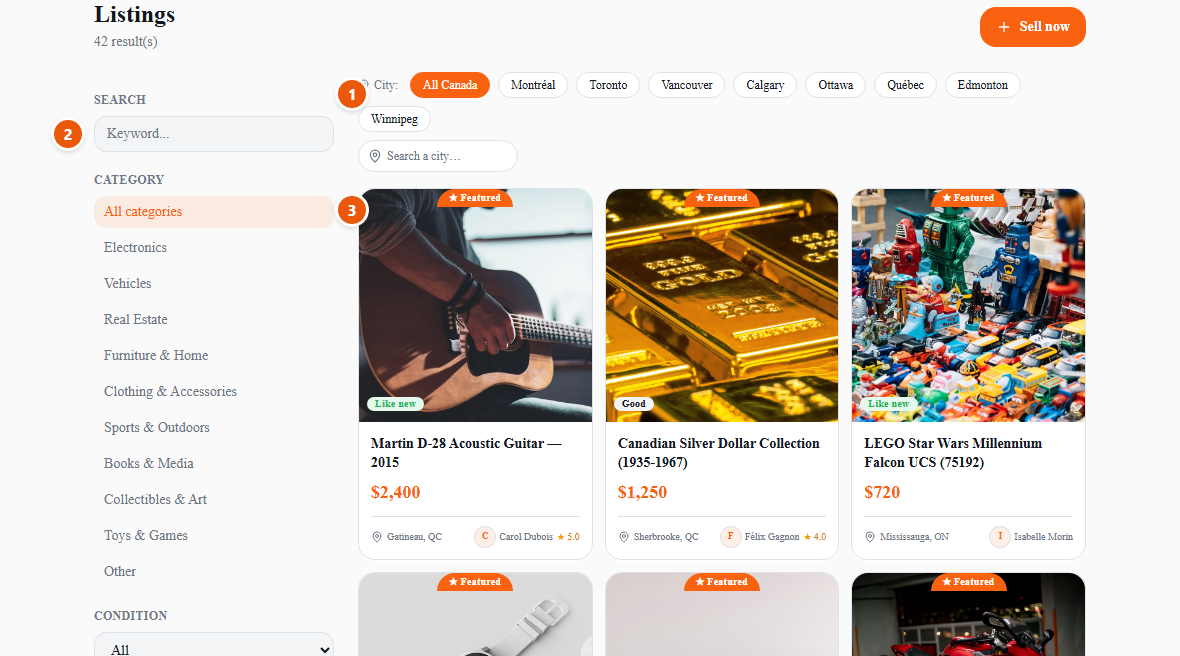
- 1Set your city first. Everything you see after that is close enough to go and collect, and the choice follows you as you keep searching and filtering.
- 2Search in plain language, in either language — accents and plurals are handled, so “cafetiere” finds “Cafetière”. Narrow further by category, condition or price just below.
- 3Open anything that looks right. Every listing shows the seller, their city, when it was posted and their reviews.
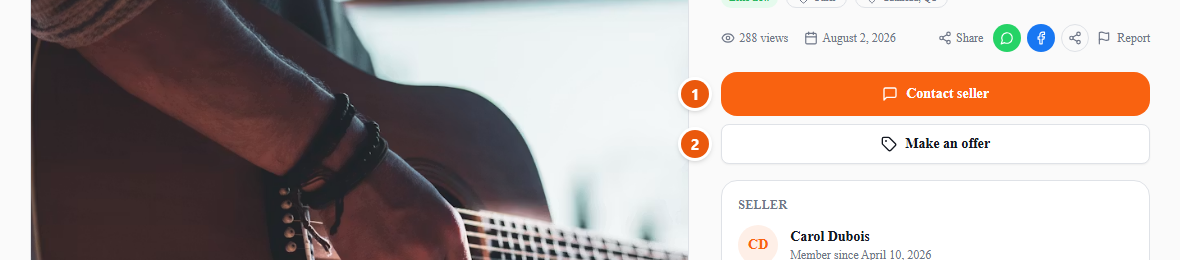
Found it? You have two ways to talk to the seller, and they do different jobs.
- 1Contact seller — for questions. Is it still available, does it work, where would we meet. Keep it on UpChansa: a conversation here is something we can look at if anything goes wrong.
- 2Make an offer — for the price. It sends a firm number the seller can accept, decline or counter, and it beats haggling in a chat because both of you can see exactly what is on the table.
Meeting safely: choose a busy public place in daylight, bring someone with you, inspect the item before you hand over any money, and never pay a deposit in advance to hold something you have not seen. Many police stations have a marked exchange zone for exactly this.
You pay the seller directly — cash or e-transfer, as you agree between you. UpChansa never takes your payment and will never ask you for card details to buy an item from a member.